Under-ordering
Running short mid-job means a wasted trip, a delay, and a customer watching the schedule slip.

Measure the room once and TileIQ works out the tiles, adhesive, grout, tanking and labour, then turns the estimate into a professional quote you can send from the job. No more "add a bit extra" estimates that leave you short on site or paying for materials you didn't need.
Free to start, no sign-up: open TileIQ in your browser, estimate a real job and send your first quote. Unlimited quotes for your first 2 weeks, with no account or card needed, then a 30-day free trial.


Round a wastage percentage down, forget a coverage rate, misjudge a labour multiplier — and a tight-margin job becomes an unprofitable one, or a winnable job gets overpriced.
Running short mid-job means a wasted trip, a delay, and a customer watching the schedule slip.
Padding every estimate "to be safe" quietly eats into your margin, job after job.
Estimating by feel means similar jobs get priced differently — and it's hard to say why.
Add each room as a full room, floor only, walls only or a shower, enter the measurements, and TileIQ works out the tiles and materials for every wall and floor.
Length, width and wall height for each room, with extra walls and floors where you need them. Connect a compatible Leica Disto by Bluetooth to send measurements straight in, or type them from a tape.
The area of each wall and floor plus your wastage allowance, so you order enough without padding. Try the same maths in the free tile calculator.
Worked out from standard coverage rates for the tile and bed, not a rough guess per bag. See the figures in how much tile adhesive you need.
Ceramic, porcelain, natural stone, mosaic, herringbone and patterns each carry their own labour, plus wall prep, tanking, floor prep and underfloor heating.
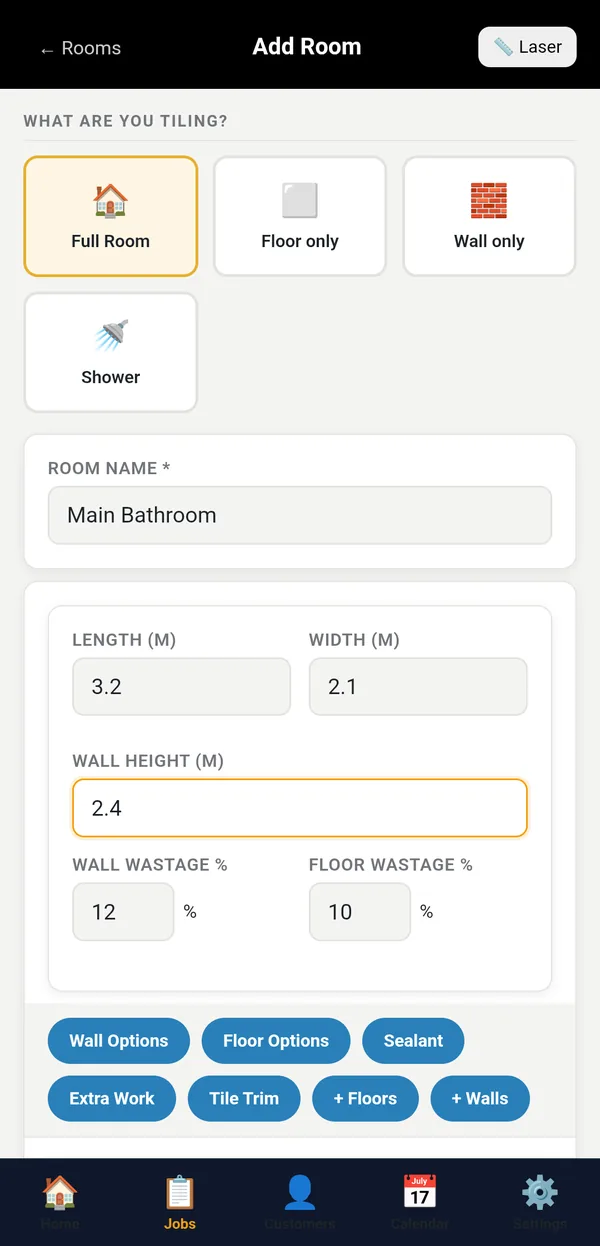
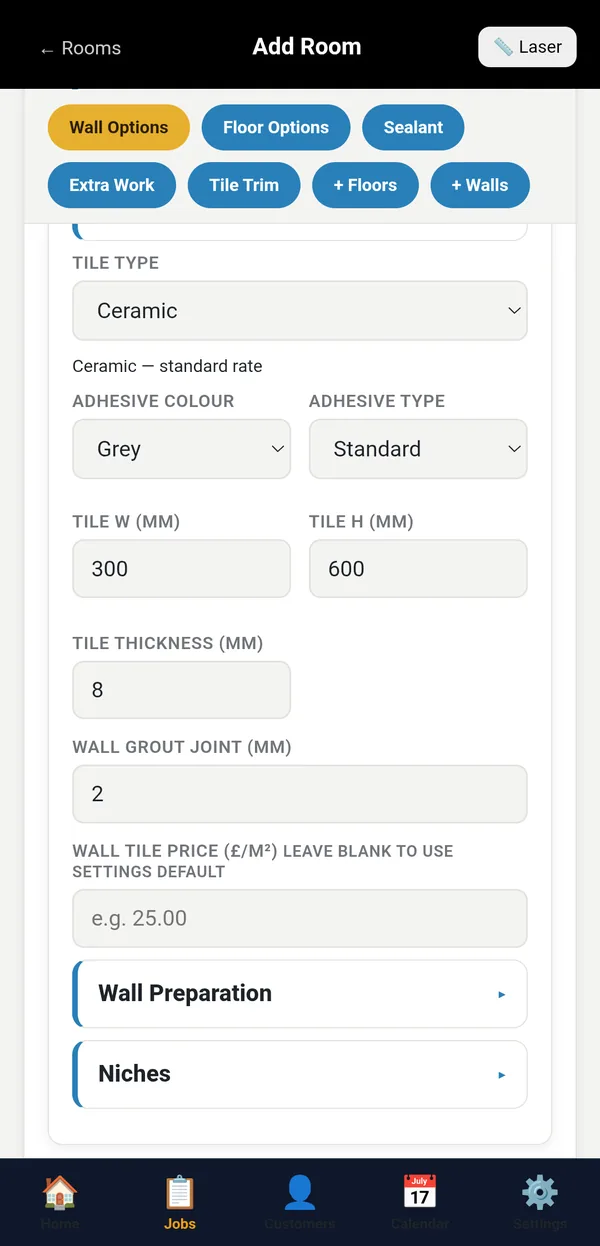
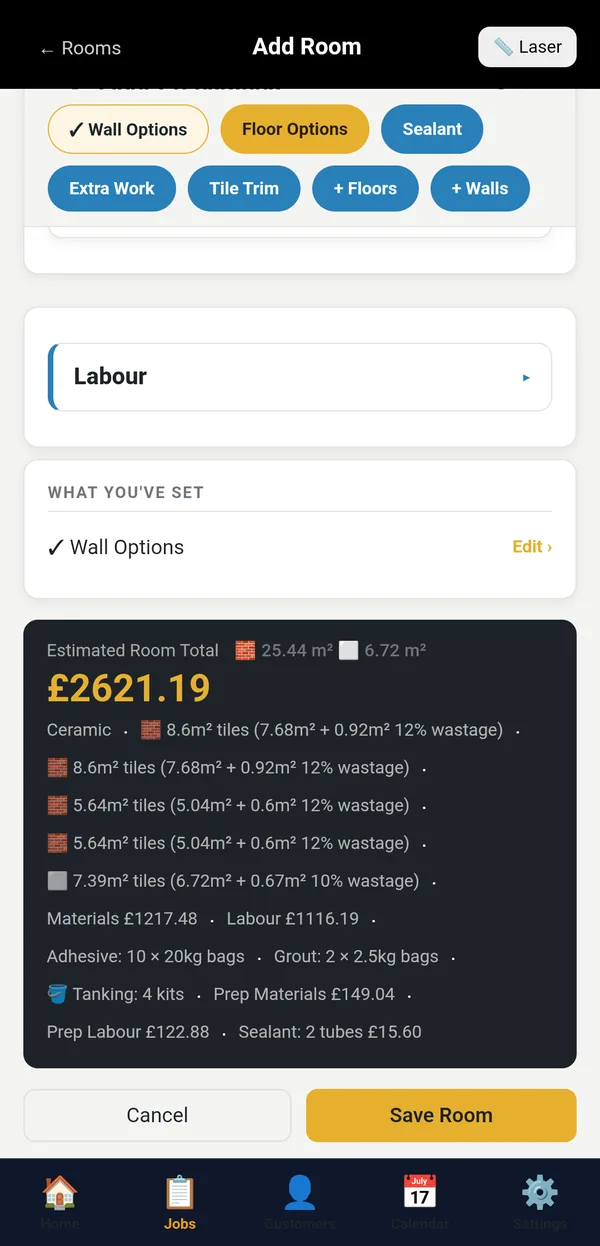
A full-room bathroom from TileIQ's own screens: 3.2 m × 2.1 m with walls tiled to 2.4 m, 12% wastage on the walls and 10% on the floor.
| Step | What TileIQ works out |
|---|---|
| Areas | Walls 25.44 m² (2 × (3.2 + 2.1) × 2.4); floor 6.72 m² (3.2 × 2.1) |
| Tiles to buy | 28.48 m² of wall tiles and 7.39 m² of floor tiles, with wastage, worked out wall by wall |
| Adhesive and grout | 10 × 20 kg bags of adhesive, 2 × 2.5 kg bags of grout |
| Tanking and prep | 4 tanking kits; prep materials £149.04, prep labour £122.88 |
| Sealant | 2 tubes, £15.60 |
| Materials and labour | Materials £1,217.48, labour £1,116.19 |
| Room total | £2,621.19 |
| The quote | If you're VAT registered, 20% VAT adds £524.24, for a total of £3,145.43. Add the room to a job and it's ready to send. |
Figures are from TileIQ's sample account, so the tile prices and labour rates are its settings. On your account, every estimate uses your own rates and prices. For working out a bathroom by hand, see how to quote a bathroom tiling job.
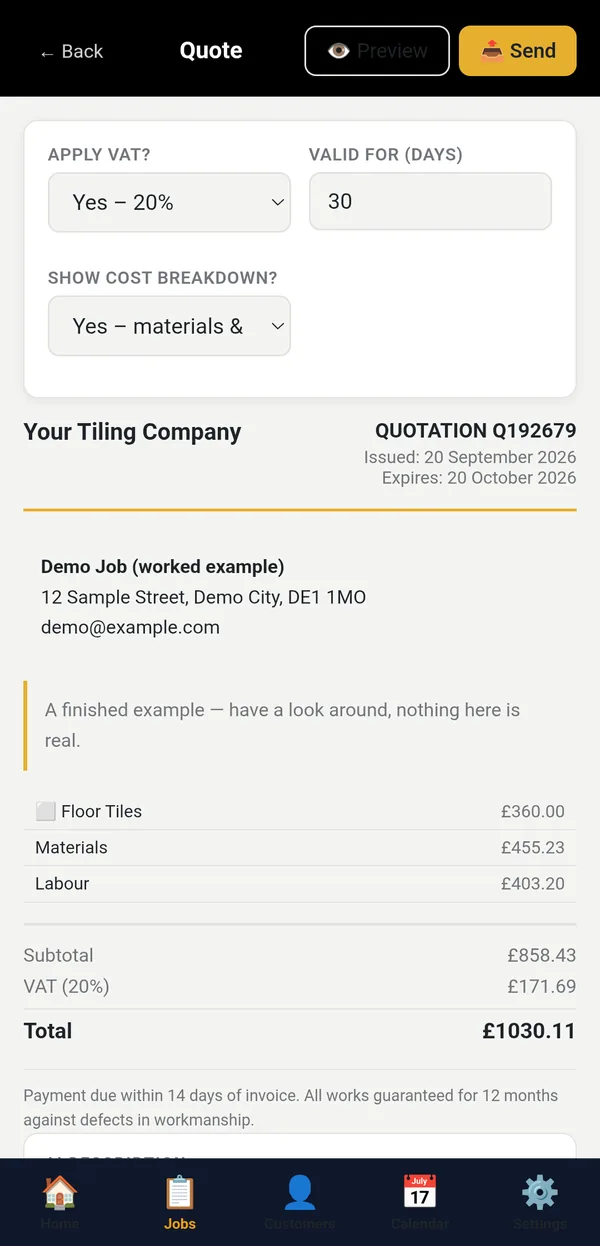
The estimate becomes the quote: no copying figures into a template or typing it up that night.
Set your wall, floor and prep rates once; every estimate uses them, with tile type and layout taken into account. Check a job against your day rate with the tiling labour calculator.
Show the customer labour and materials separately or as one price, with VAT added if you're registered and a validity date.
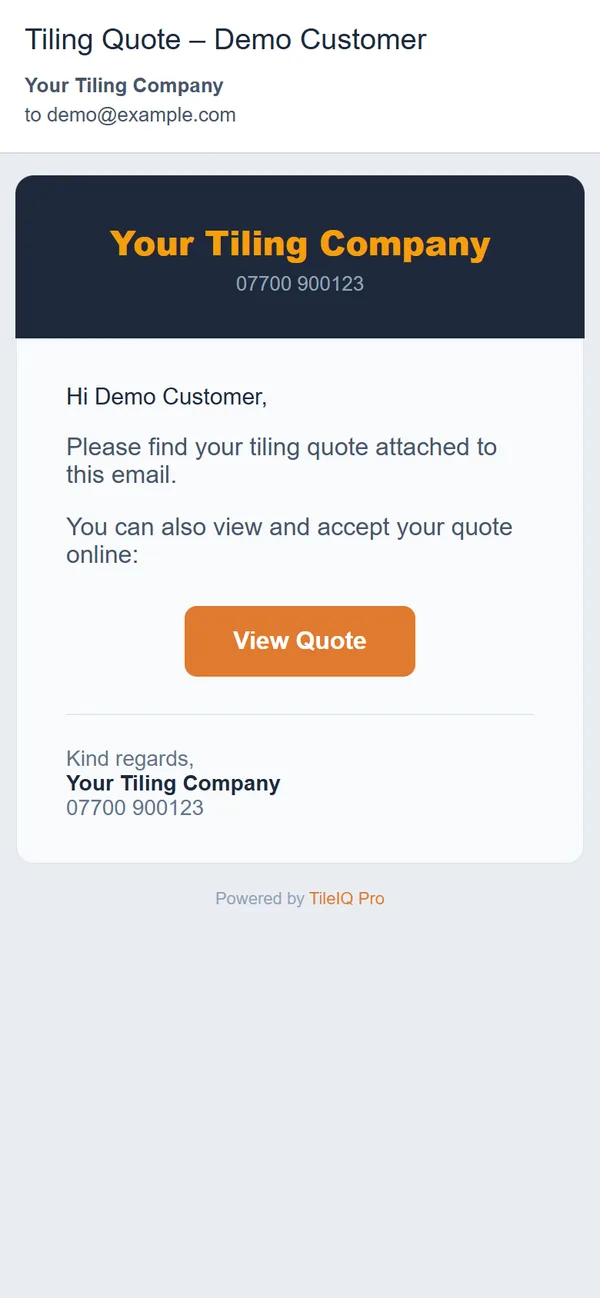
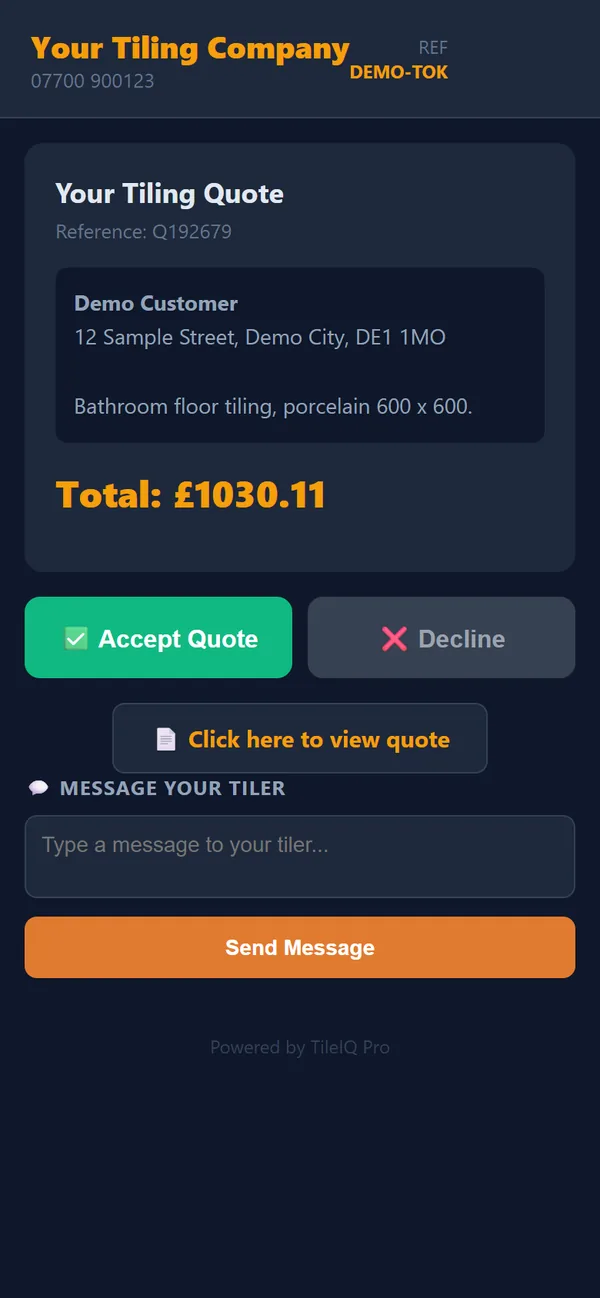
The customer gets an email with a link to the quote and accepts it online, and the job moves to Quote Accepted.
See the quote app →Generate the description of the work in the style you want, from professional to customer friendly, then edit it.
Estimates live inside jobs, so the measurements, materials and quote are there when the job is booked, done and invoiced.
Customer details, job notes, measurements and photos in one place.
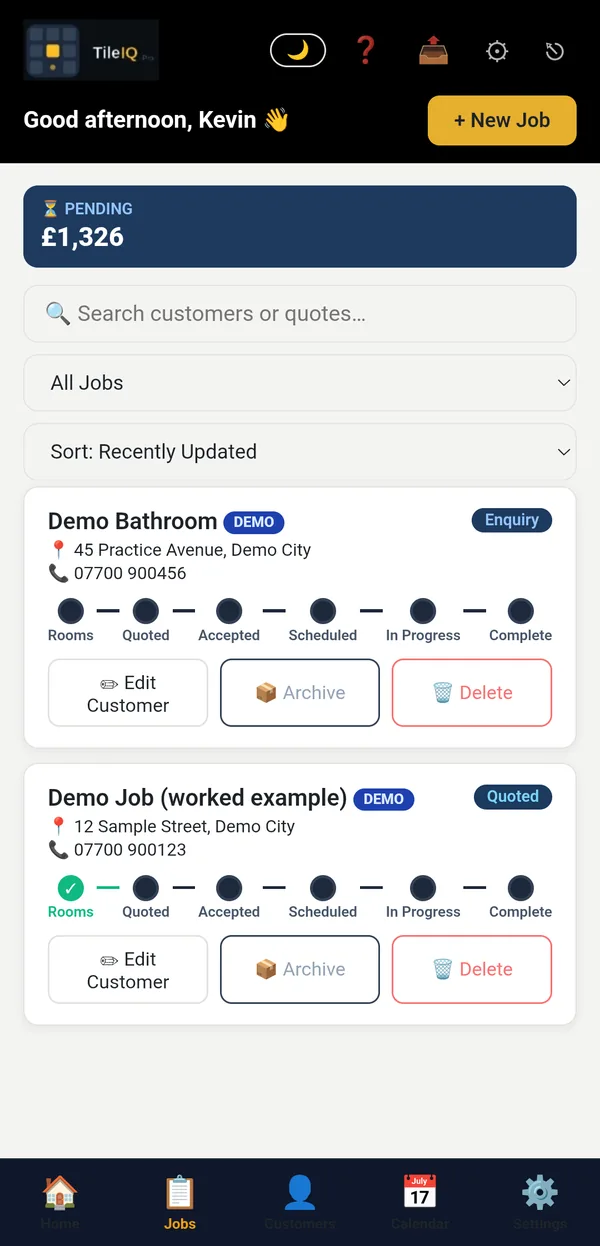
Every job from enquiry to quoted, accepted, scheduled, in progress and complete. More on job management.
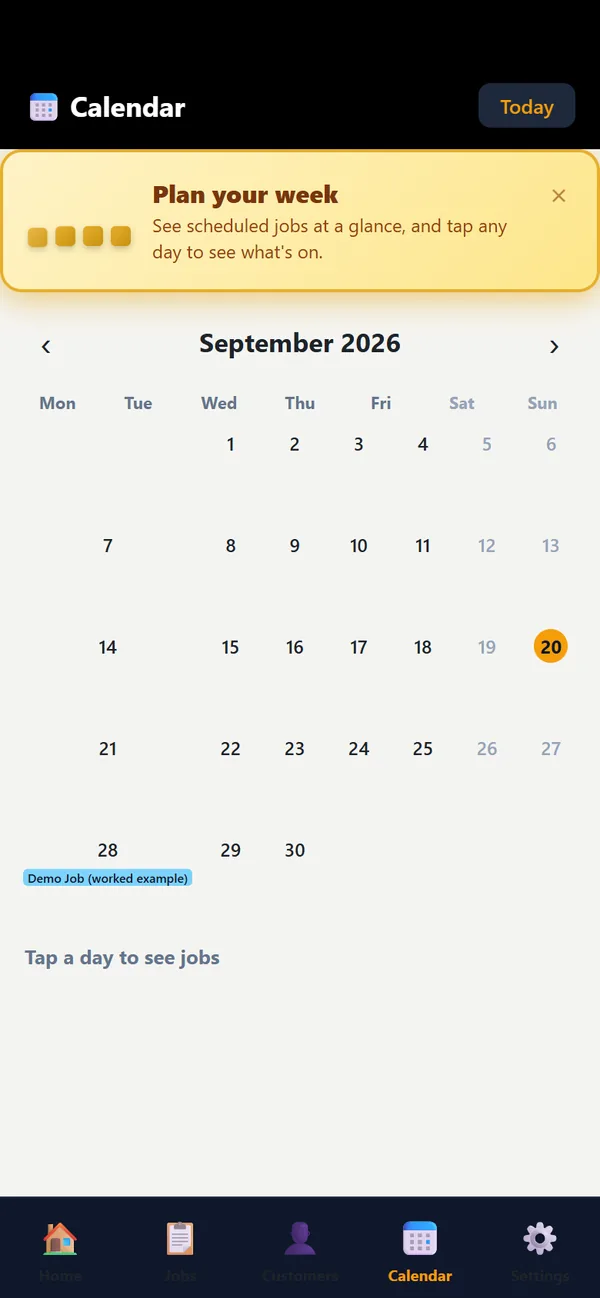
Send the customer a start date to confirm, and see the week in the calendar.
Turn a finished job into an invoice, including CIS invoices, and connect Xero, QuickBooks or FreeAgent.
Keep the receipts against the job, so you can check what the materials cost you against what you charged.
Take a photo of a receipt and TileIQ reads the supplier, date, amount and VAT into the expense. Nothing is saved until you've checked it.
Get your own receipt email address and forward supplier receipts to it, ready to check and add.
The job's materials show what you charged and what they should cost you, and update when you change a room.
Yes. Open the real app in your browser and use it straight away: you can send unlimited quotes for your first 2 weeks with no account or card. After that there's a 30-day free trial. If you'd rather just look around first, the demo has sample jobs and saves nothing.
Tile quantities are calculated from your room measurements with a wastage allowance factored in, so you order enough without excessive over-ordering.
Yes — tile type and labour multipliers mean the estimate reflects the actual job, not a flat rate applied to every quote.
Yes, you can measure with a tape measure and enter dimensions manually, or connect a compatible Leica Disto for faster, hands-free measuring.
Yes. TileIQ is on the App Store and Google Play, and the same app runs in your browser. It works offline and syncs when you're back online.
The founding offer is £9.99 a month or £79.99 a year, and you keep that price while you stay subscribed. Start free first: 2 weeks of unlimited quotes, then a 30-day free trial.
Use the real app free in your browser. Send unlimited quotes for 2 weeks, with no account or card needed, then start a 30-day free trial.